

Which image generation models are available on Ai-ChatPro?
Ai-ChatPro brings together several image generation models. Some are available for free, others are for subscribers (locked models 🔒).
Realistic photos, illustrations, portraits, landscapes, logos or marketing visuals: describe the image you want and the image model creates it in seconds, right in the chat.
At a glance
| Access | Number of image models |
|---|---|
| Free (freemium) | 5 |
| Locked (subscription) | 9 |
Image models by family
Each family includes one or more image models. Click a button to open image generation directly with that model.
 GPT Image (OpenAI)4 modelsUse GPT Image
 Leonardo3 modelsUse Leonardo
 Flux3 modelsUse Flux
 Stability2 modelsUse Stability
 Nano Banana (Gemini)2 modelsUse Nano Banana
What can you create with an image model?
Ai-ChatPro’s image models generate hundreds of types of images, as many as you like. Change the style, subject or format as often as you want: creation has no limits.
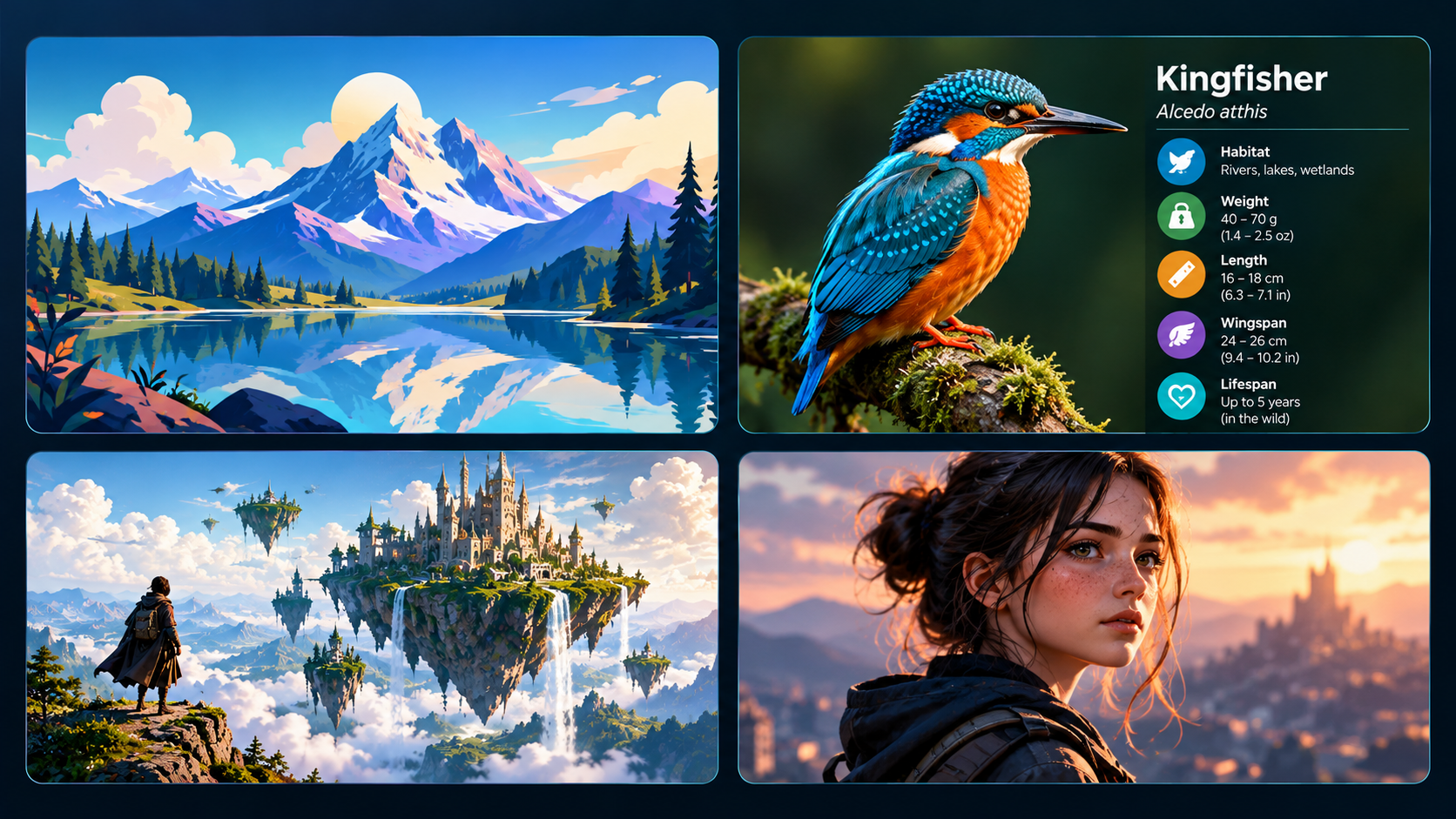
- Realistic photos: portraits, product photos, everyday scenes.
- Illustrations: landscapes, drawings, watercolors, manga or comic style.
- Fantasy art: imaginary worlds, characters, game settings.
- Marketing visuals: banners, social media posts, posters.
- Logos and icons: design ideas for a brand or a project.
- Infographics: illustrated sheets and explanatory visuals.
How do you choose an image model?
- Open image generation in Ai-ChatPro.
- Click the image model selector.
- Choose an image model. Those marked with a padlock 🔒 require a subscription.
What is the difference between free and locked image models?
- Free: ideal to test, explore and generate your first images without a subscription.
- Locked: unlocked with a subscription, they give access to the most advanced image models.
Example prompts to generate an image
A good prompt describes the subject, the style, the lighting and the framing. Copy an example, then adapt it to your project.
- Realistic photo
“Portrait of a freckled woman at sunset, golden light, blurred background, realistic photo style.”
- Illustration
“Mountain lake surrounded by fir trees, snowy peaks, brightly colored illustration style.”
- Fantasy art
“Castle on a floating island above the clouds, waterfalls, traveler seen from behind in the foreground.”
- Product photo
“Perfume bottle on a marble stand, white background, soft studio lighting.”
- Logo
“Minimalist logo for an organic bakery, stylized ear of wheat, two colors, white background.”
- Social media visual
“Square visual for a summer promotion, pastel colors, free space for a headline.”
Tip: state the expected style (photo, watercolor, 3D, manga…) in the very first sentence. You'll get a result closer to your idea.
Good to know
Each image model has its own style: some are more realistic, others more artistic. Try the same prompt on several image models to compare.
The list changes regularly, and new image models are added with updates.
Frequently asked questions
How many image generation models does Ai-ChatPro offer?
Ai-ChatPro offers 14 image models in five families: GPT Image (OpenAI), Leonardo, Flux, Stability and Nano Banana (Gemini). 5 are available for free, 9 with a subscription.
Can I generate images for free on Ai-ChatPro?
Yes. 5 image models are available without a subscription, to try them out and generate your first photos or illustrations.
What kinds of images can I create?
Realistic photos, illustrations, portraits, landscapes, fantasy art, logos, infographics or social media visuals: just describe the image you want in your prompt.
What does the padlock next to an image model mean?
The padlock 🔒 marks a locked image model: it is for subscribers and is unlocked with a subscription.
Which image model should I choose?
Each image model has its own style, more realistic or more artistic. The simplest way is to try the same prompt on several models and compare the results.
Are new image models added?
Yes. The list changes regularly, and new image models are added with updates.
A question?
Contact our support from your account.